
Licensing & Soterre connection
TIP
Soterre DevOps Analytics is licensed in combination with Soterre. Please make sure to have Soterre v3.1 or later with updated Soterre license to be able to access Soterre DevOps Analytics versioning features.
Configure Soterre connection
Proceed to Soterre DevOps Analytics Options > License page to activate your license.
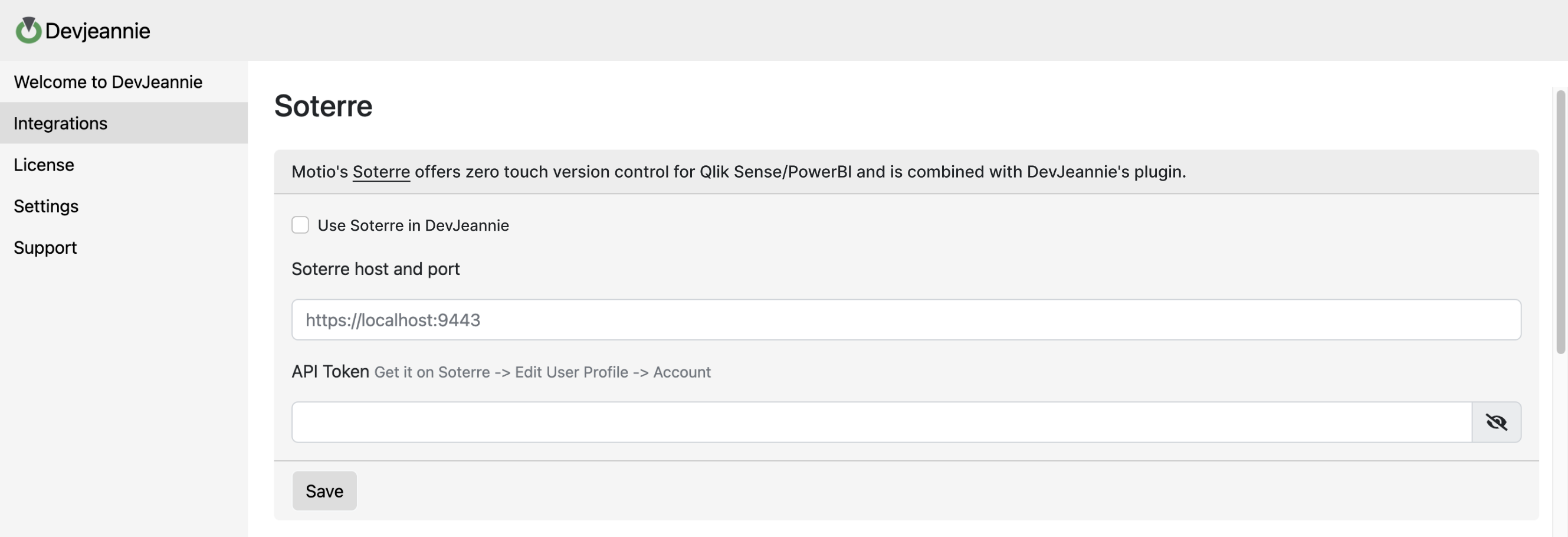
Input your Soterre API token
Switch to Integrations tab and find Soterre connection. Enable the "Use Soterre in Soterre DevOps Analytics" checkbox and input your Soterre host and port along with an API token.
INFO
To obtain the Soterre API Token, follow Soterre > Edit User Profile > Account
TIP
If you use more than one BI platform, for example Qlik and PowerBI, make sure you have one Soterre user account to access both platforms in Soterre. Therefore you can use one Soterre API Token to access both platforms from Soterre DevOps Analytics.
Save your settings
- Set a Thumbnail
- QSDA Pro Integration; QSDA Charts Deconstruction
- Thumbnail Assistance, Highlighted Master Items
- AI Integration features (Docs Wizard; AskAI for Measures and Sheets)