
Lifecycle Insights for Power BI
Lifecycle Insights provides analytics over analytics and displays an overview of the development lifecycle and usage patterns of your analytics.
INFO
Available for Qlik Sense/Cloud (apps) and Power BI Web (reports).
TIP
Make sure to have Soterre Helper turned on and have your reports versioned in Soterre.
Find Lifecycle Insights
Navigate to Soterre DevOps Analytics's context menu and find "Usage Statistics".
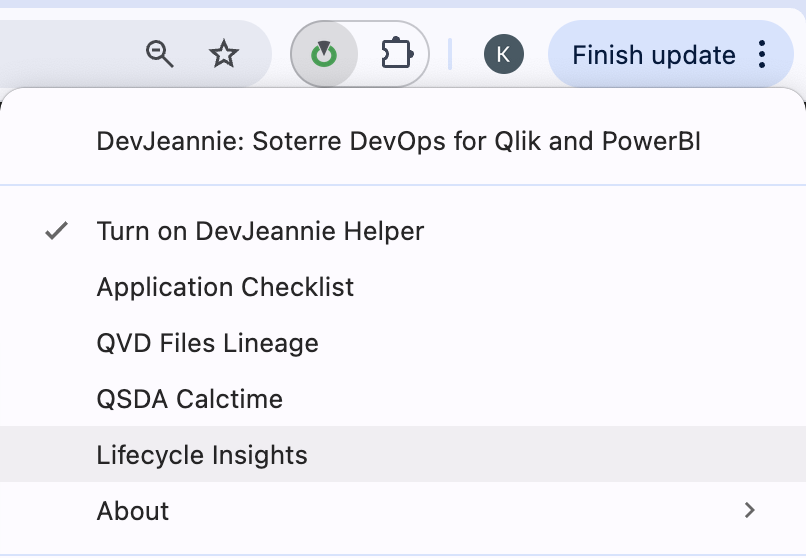
Soterre DevOps Analytics: Lifecycle Insights in extension context menu
Select the Endpoint report
In the Endpoint Report Usage Summary section, select the Endpoint report that was deployed/published to any target environment/tenant/app/workspace from the dropdown. The values in the list are narrowed down to only return relevant reports - either deployed or published copies of the current 'development' report.
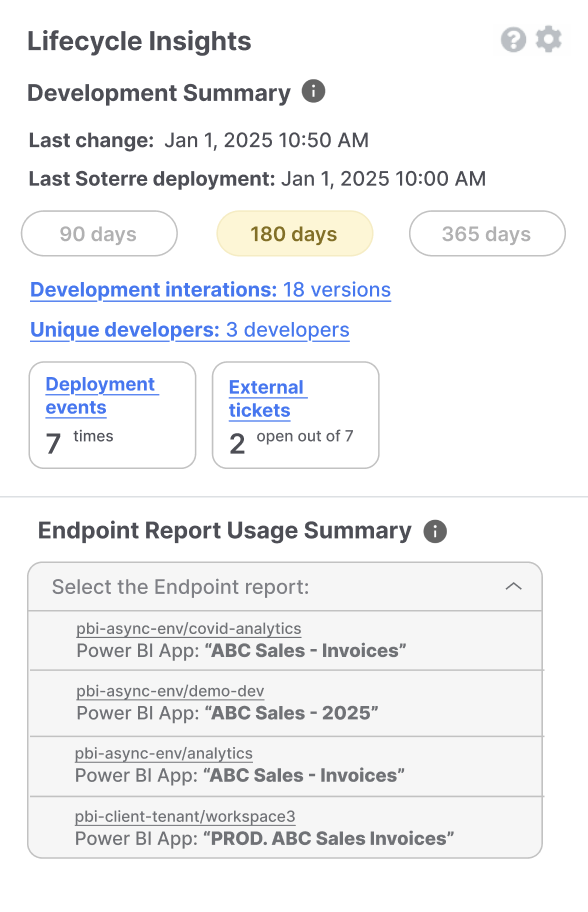
Soterre DevOps Analytics: Lifecycle Insights. Select the Endpoint Report
Explore Development Summary section
The Development Summary section offers a snapshot of the currently opened report's latest changes, including:
- Last modification date;
- Soterre deployment timestamp & the number of deployment events;
- The number of development iterations & unique developers involved;
- External tickets references.
This allows for quick identification of recent activities and potential issues.
The yellow section will display suggestions based on the activity of the current vs. the endpoint report:
- Version comparison to identify whether the Endpoint report was changed in its direct location;
- Report inactivity period (if applicable).
Click on the suggestion to expand the description and gain more details.
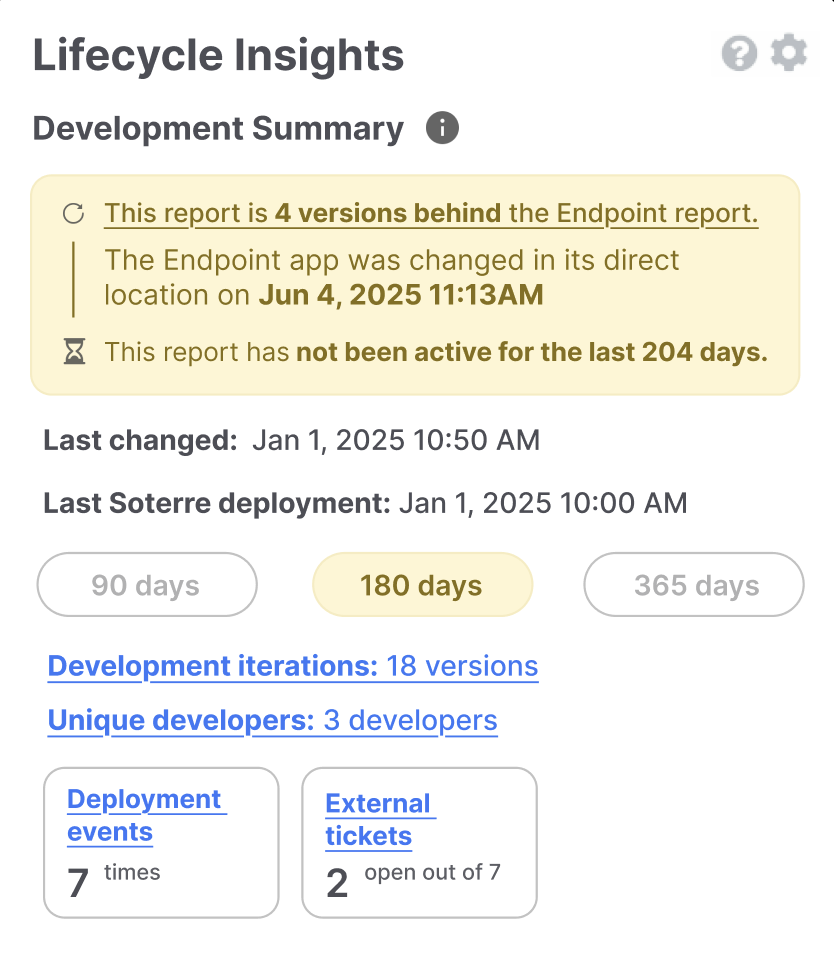
Soterre DevOps Analytics: Lifecycle Insights. Development Summary
Explore Endpoint Report Usage Summary section
The Endpoint Report Usage Summary offers the ability to select any matching report that was deployed/published to any target environment/tenant/app/workspace:
- Report's usage rank relative to other reports on the same environment;
- Detailed statistics on the number of pahes & bookmarks;
- A breakdown of unique users over the past 90, 180, or 365 days, providing insights into user adoption and engagement trends.
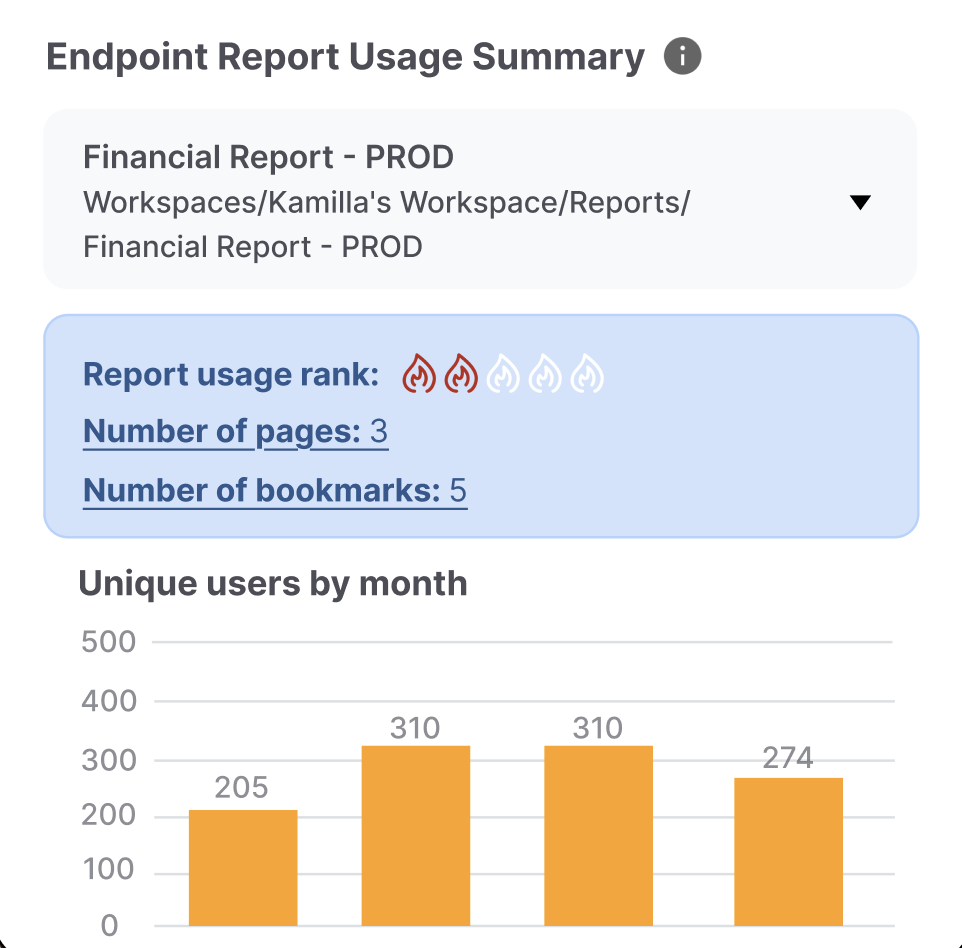
Soterre DevOps Analytics: Lifecycle Insights. Endpoint Report Usage Summary