
Diff Viewer
Diff Viewer allows version comparison in a side-by-side view and supports merging capability.
INFO
Available for Qlik Sense/Cloud (sheets & load script) and PowerBI Web (report pages).
TIP
Make sure to have Soterre Helper turned on and have your current app versioned in Soterre.
Find Diff Viewer in Soterre helper
Qlik Sheet
Navigate to the sheets menu > click on the three dot icon in a sheet display window to see the BI Helper buttons. Select Time Machine:
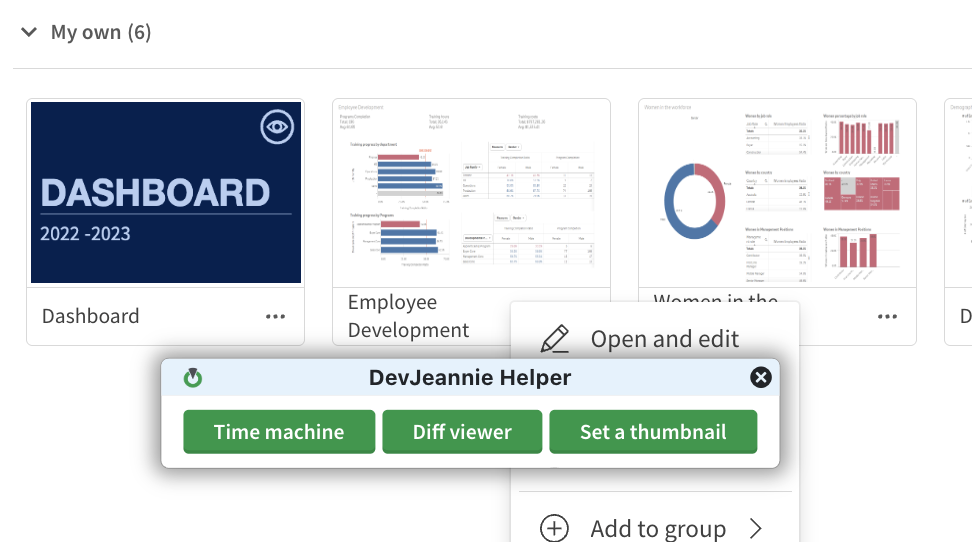
Diff Viewer in Soterre Helper
Qlik Script
Navigate to the Data Load Script > select Diff Editor:

Load Script Diff Editor in Soterre Helper
PowerBI Web Report
Navigate to the report page > select Diff Viewer:

Report page Diff Editor in Soterre Helper
Explore the version timeline and see the differences
Diff Viewer lets you see the differences between two versions of your sheet/script section/page. Select the app/report version from the interactive timeline at the top of the page. You will see the sheet/script section/page state on the left pane and the selected version on the right pane. Differences between different versions are highlighted for you.
Qlik Sheet
.png)
Soterre: Qlik Sheet Diff Viewer
Qlik Script
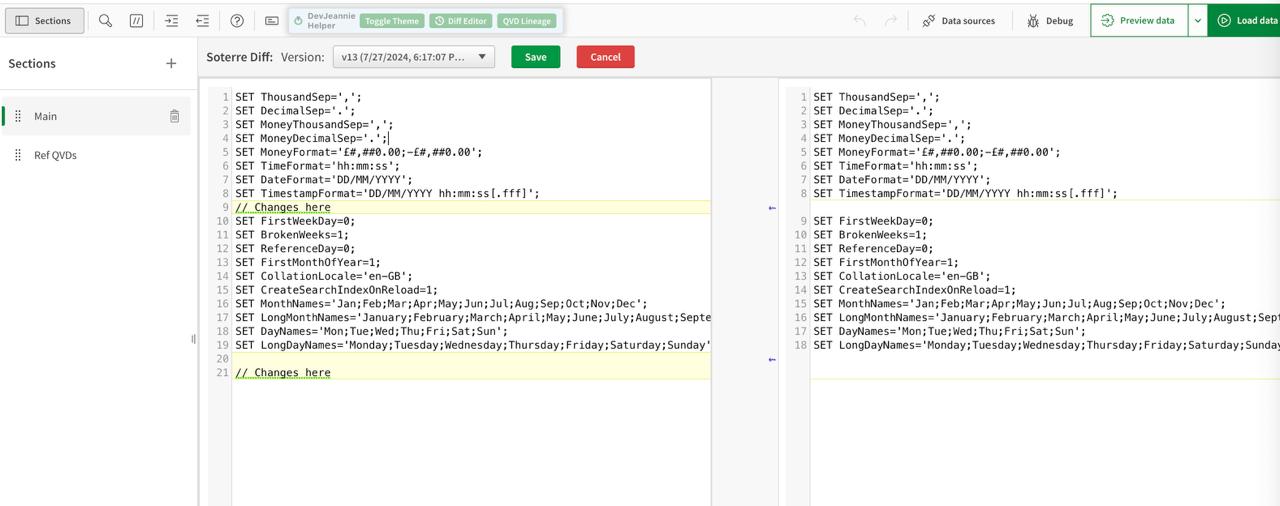
Soterre DevOps Analytics: Qlik Load Script Diff Viewer
PowerBI Web Report
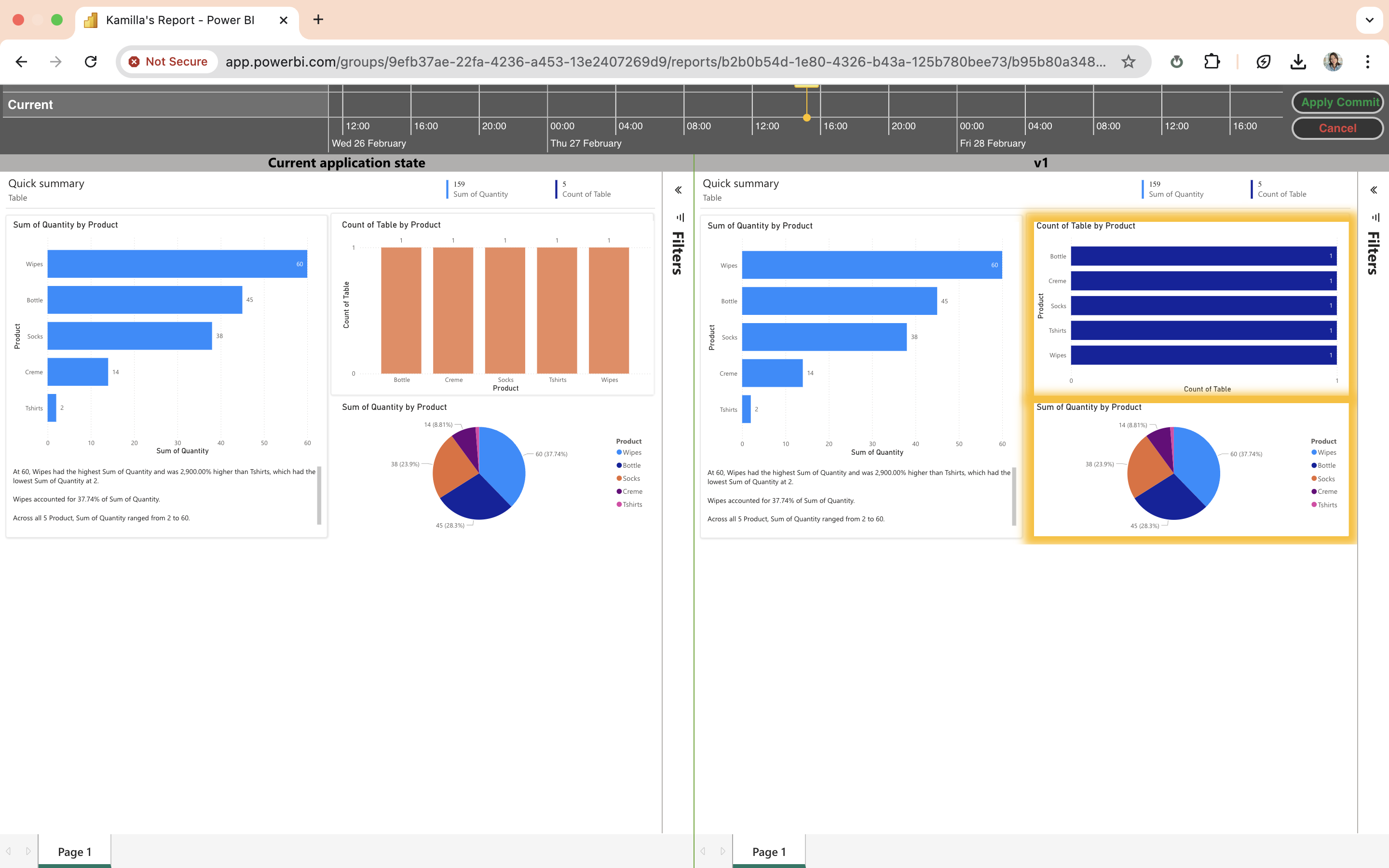
Soterre DevOps AnalyticsSoterre DevOps Analytics: PowerBI Web report Diff Viewer
Merge different versions
When you click on the highlighted chart notice the View/Merge Changes button. This will allow you to transfer the changes into the current version of your sheet (to the left pane).
Qlik Sheets
.png)
View/Merge sheet changes
After clicking on View/Merge Changes you will see the popup table which helps refine the changes that will be made to the current sheet state . Select Apply Merge button to complete the merge.
.png)
View sheet changes
Qlik Script
See the Revert chunk button between your version panes. Click to transfer the script line to the current script version (to the left pane).
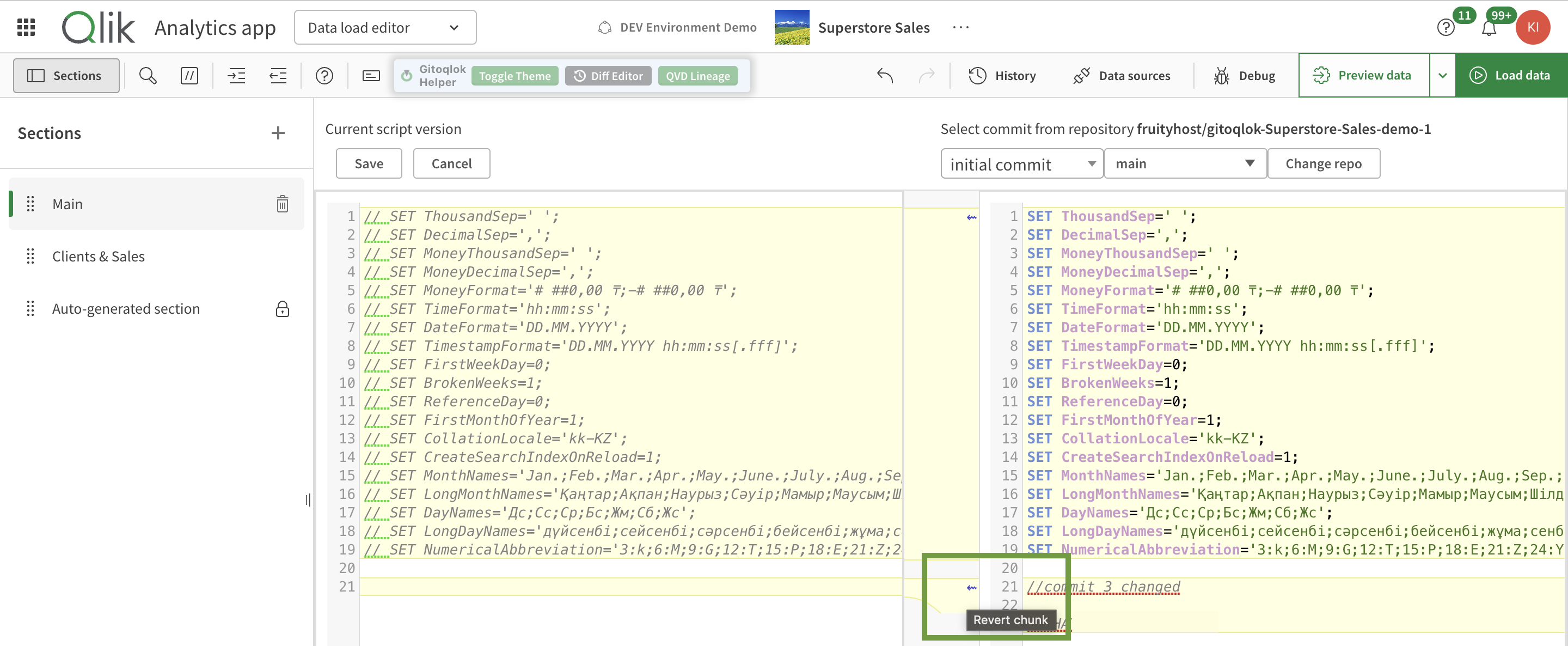
View/Merge script changes
PowerBI Web Report
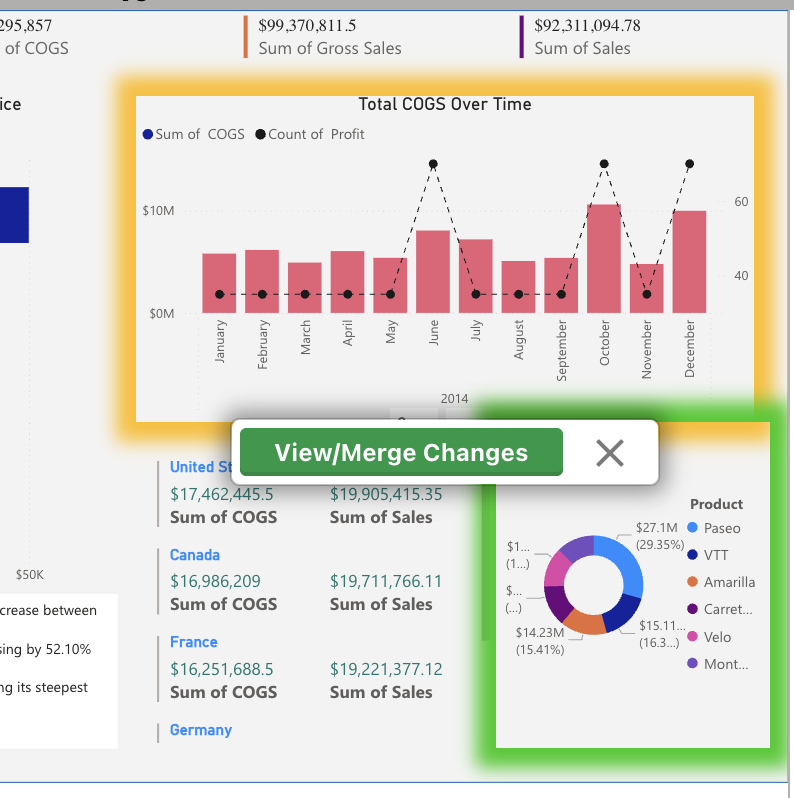
View/Merge Changes
After clicking on View/Merge Changes you will see the popup table which helps refine the changes that will be made to the current sheet state . Select Apply Merge button to complete the merge.
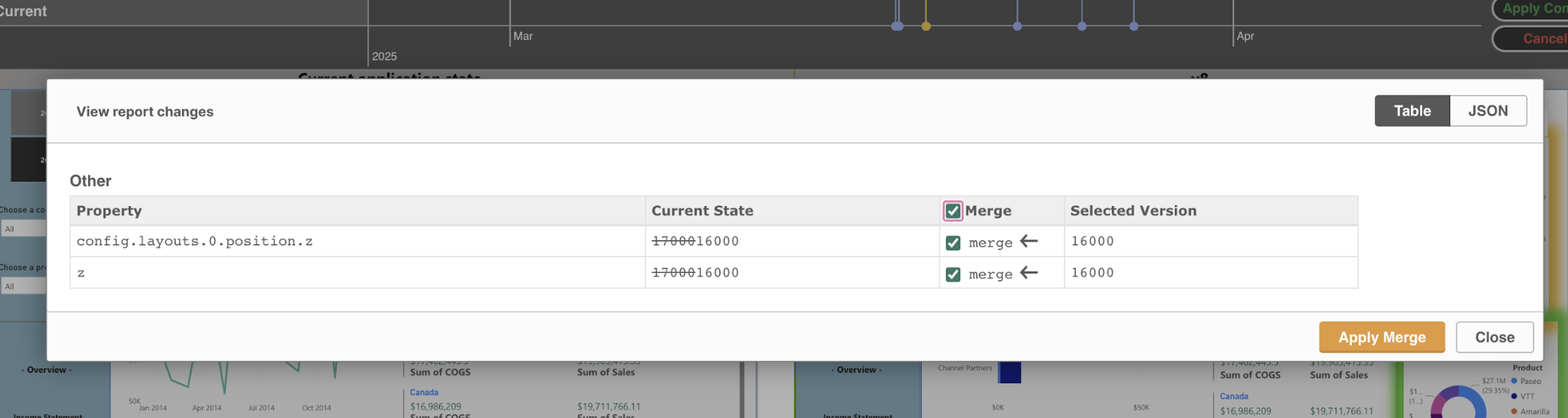
View/Merge Changes