
Ask AI for data load script
Ask AI in Soterre DevOps Analytics is designed to empower routine development with AI-generated content.
INFO
Available for Qlik Sense/Cloud.
TIP
Make sure to configure AI Integration.
Find Ask AI and Copy buttons
Navigate to the Data Load Editor and proceed to Load Data > Upon receiving an error log message from Qlik, you will see two buttons: Copy and Explain.
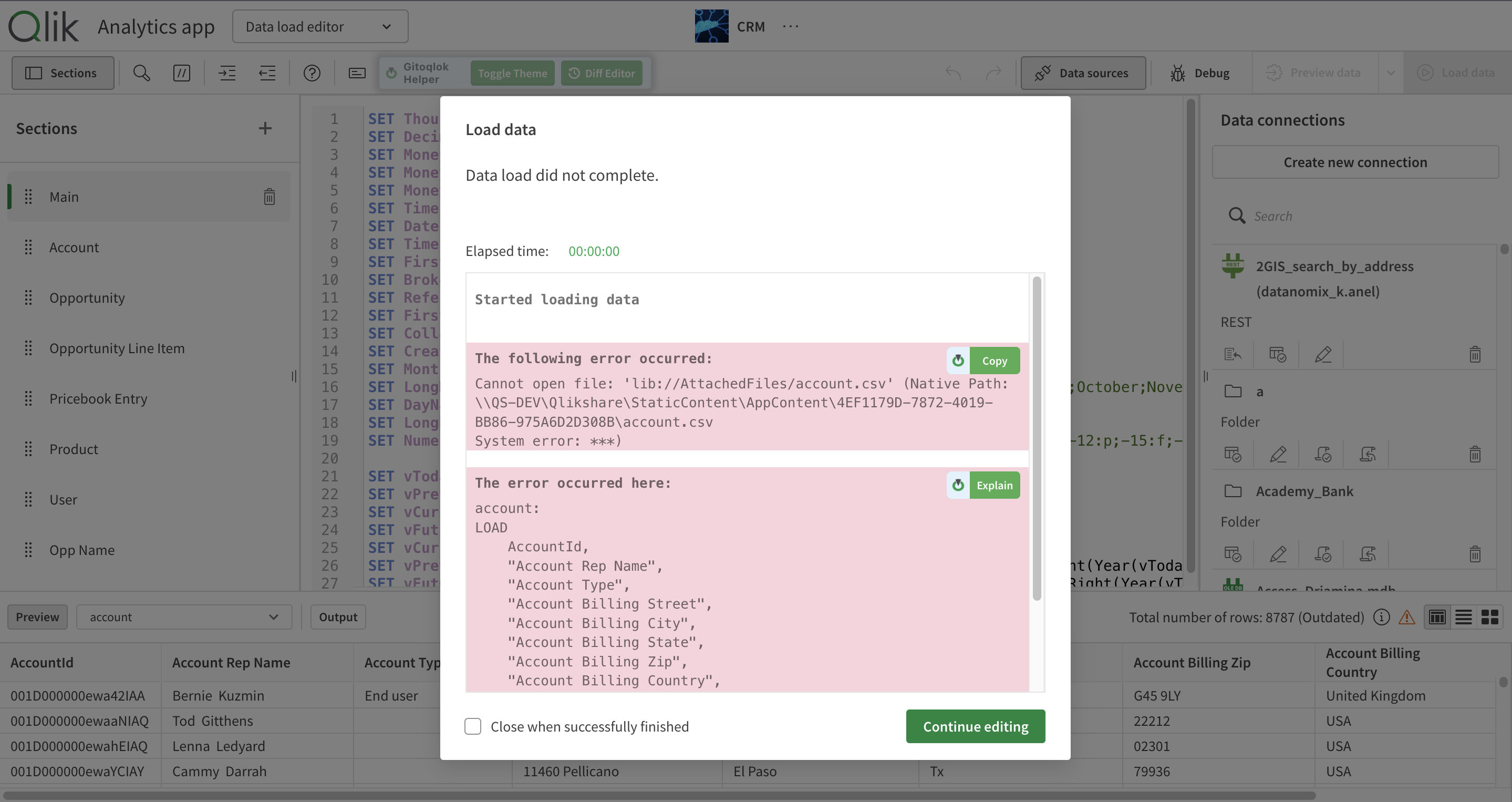
Soterre DevOps Analytics Copy and AskAI button in Data Load Editor error popup
Explore!
Click on Explain . Soterre DevOps Analytics will send the error message to the AI provider configured in Options and will propose explanation of the error along with actionable insights.
Click on Copy. The error message will be copied to your clipboard.
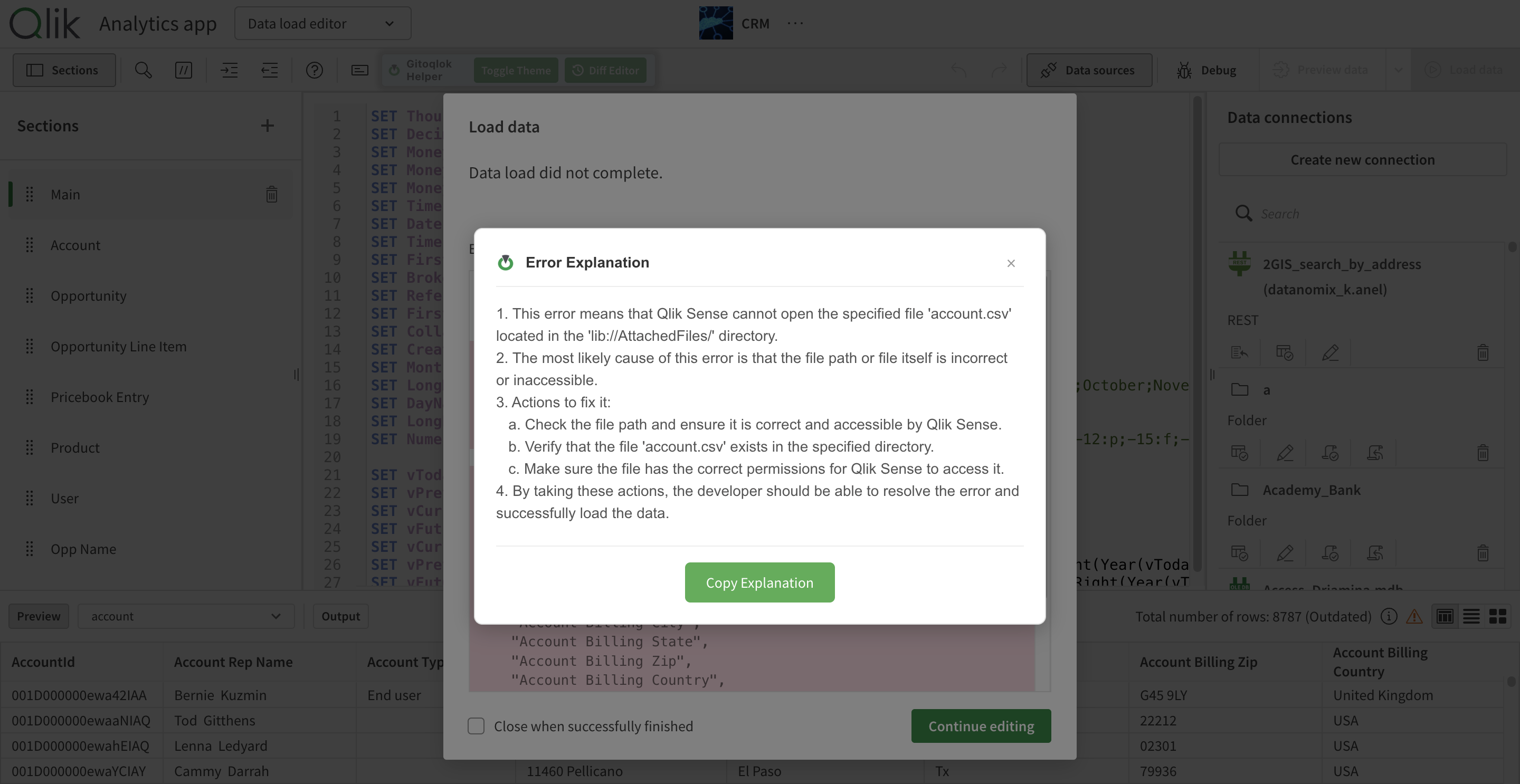
Soterre DevOps Analytics Data Load Script Error Explanation