
Global Search
Global Search in Soterre DevOps Analytics is designed to enable end-to-end search across the metadata in any BI environment connected to Soterre. The results help you find associations and reduce potential redundancy and ambiguity.
INFO
Available for Qlik Sense/Cloud and PowerBI Web.
TIP
Make sure to have Soterre Helper turned on and have your Search Index enabled in Soterre.
Find Global Search feature
Qlik Measures
Navigate to the measure edit mode > you will see two Global Search buttons near measure name and measure expression. Your default search scope will be narrowed depending on your choice. You will be able to change the search scope in the Side Panel.
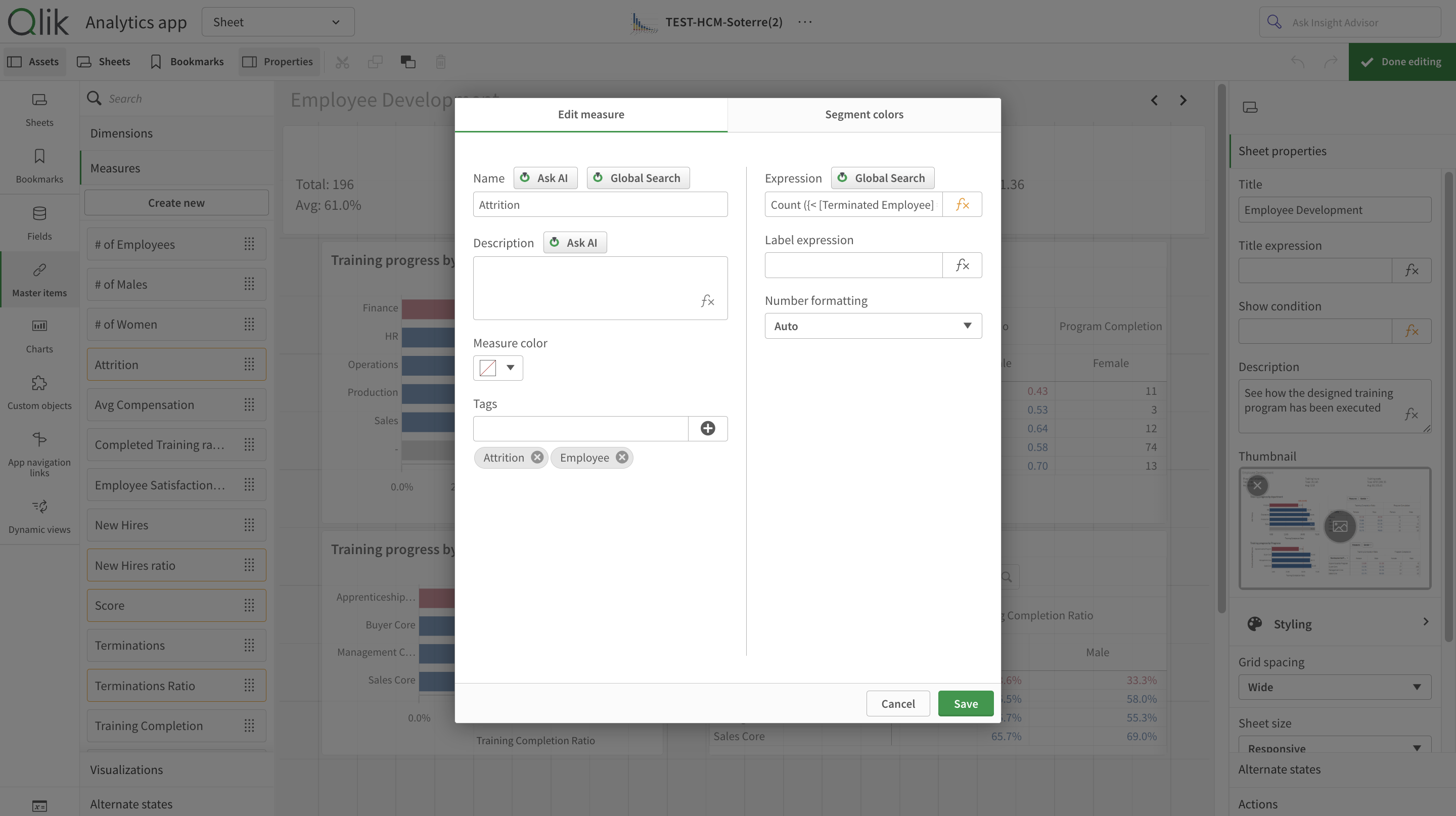
Soterre DevOps Analytics Global Search for Qlik measures
Qlik Apps
Navigate to Qlik Sense hub > Create new app and select Global Search:
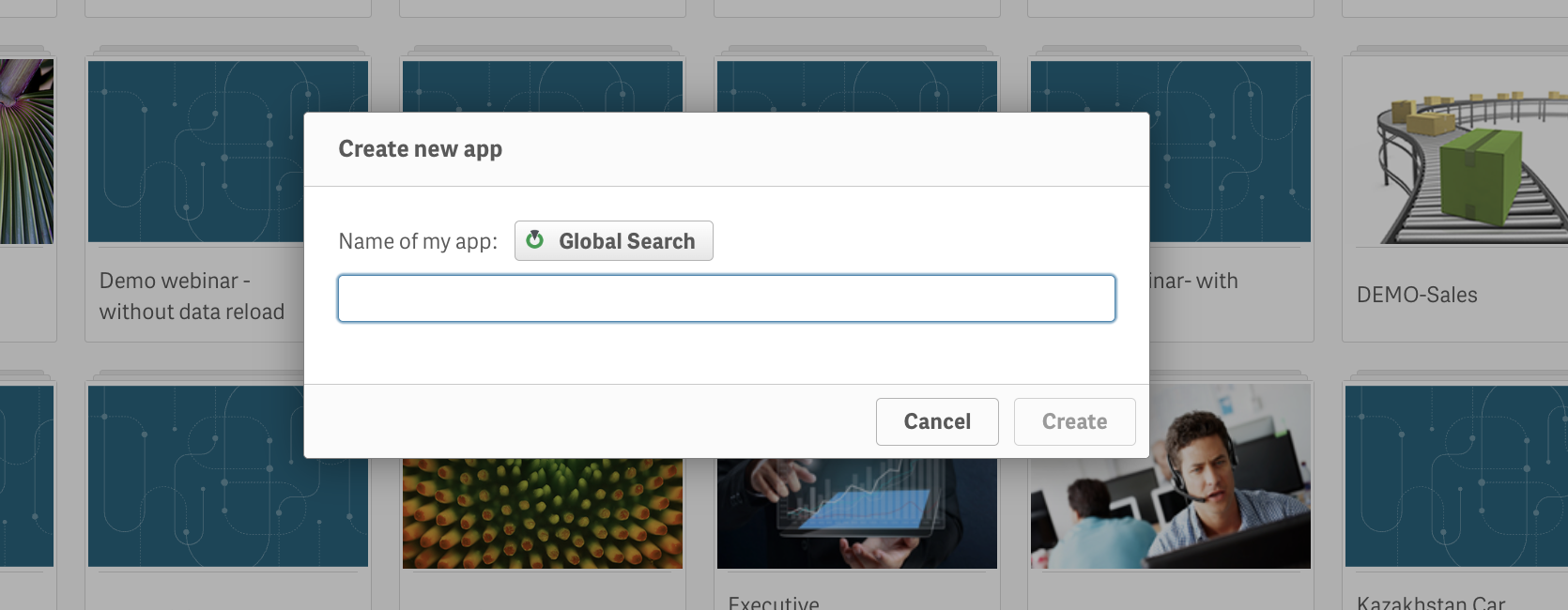
Soterre DevOps Analytics Global Search for Qlik apps
PowerBI Web Measures
Navigate to PowerBI report > Open Data Model and select Global Search:
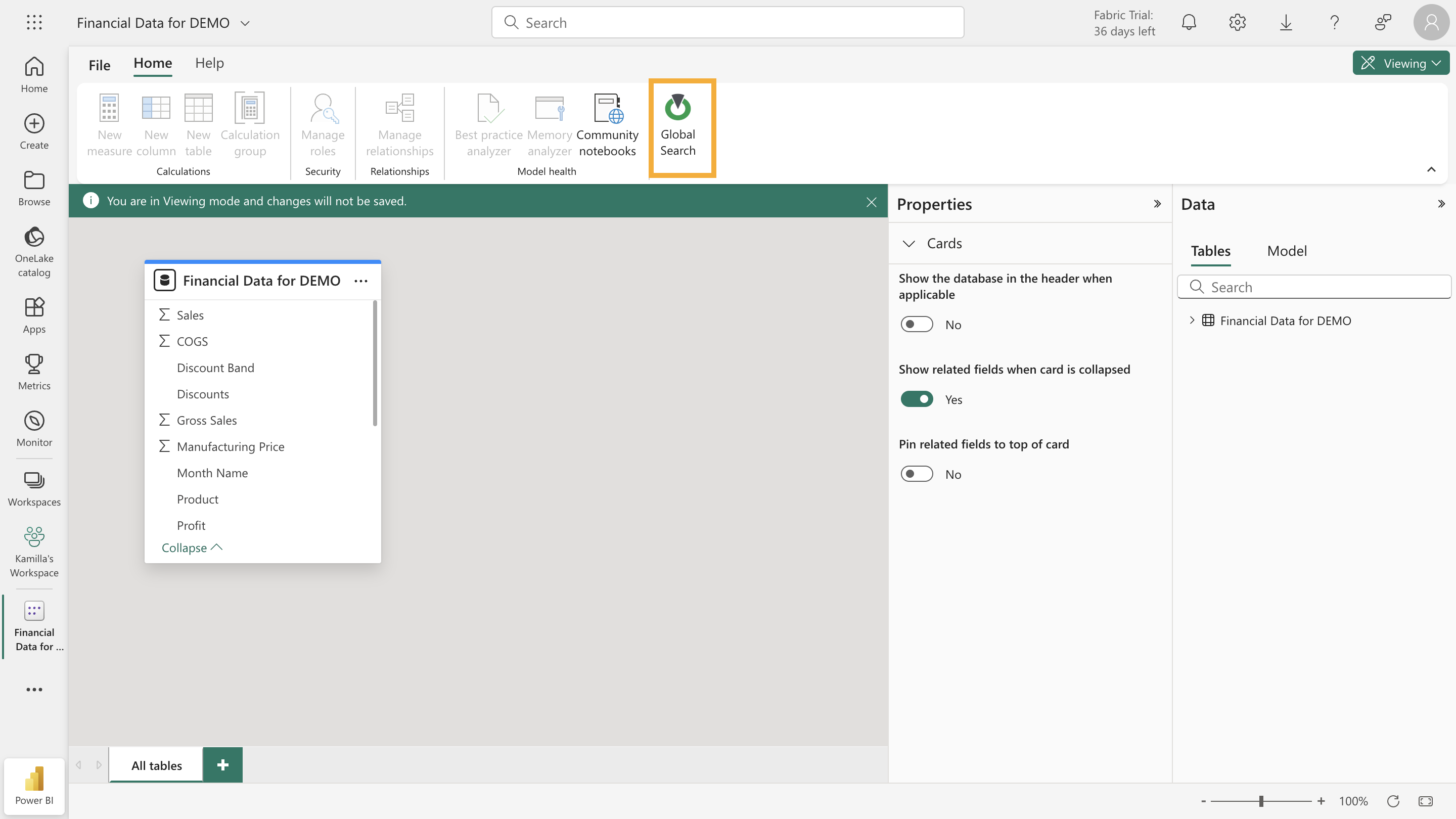
Soterre DevOps Analytics Global Search for reports > semantic models
Perform end-to-end search
Global Search results will appear in a browser Side Panel. By default, you current Soterre node will be chosen and the search results will appear for either measure name, measure expression, or app name (depending on which button in Qlik UI you have clicked).
- You can change the filters to search across other Soterre nodes;
- Change the scope of search from expressions to measure names;
- Or fill your search field manually in the Side Panel.
Qlik Measures
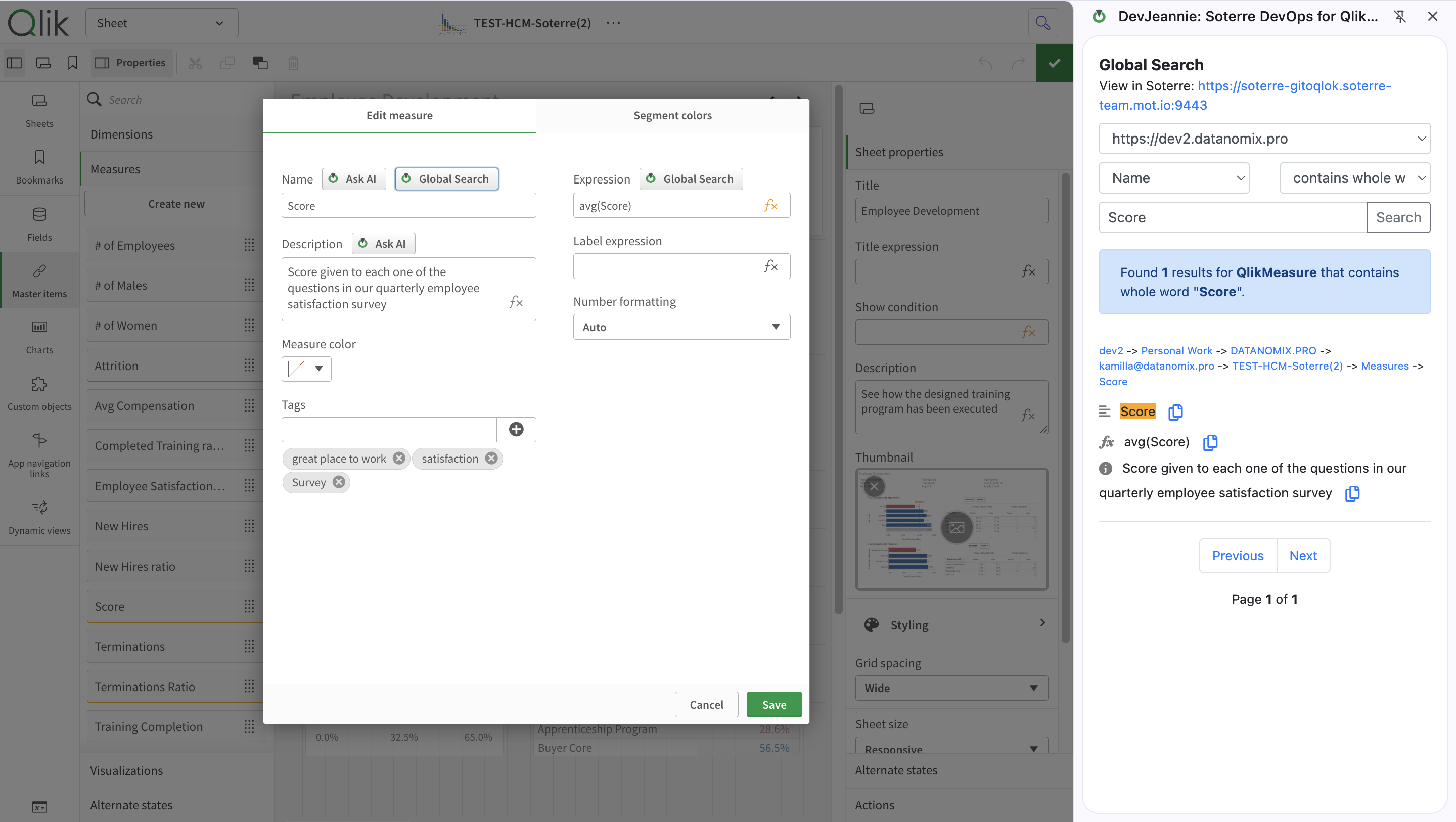
Qlik: Soterre DevOps Analytics Global Search for measure names
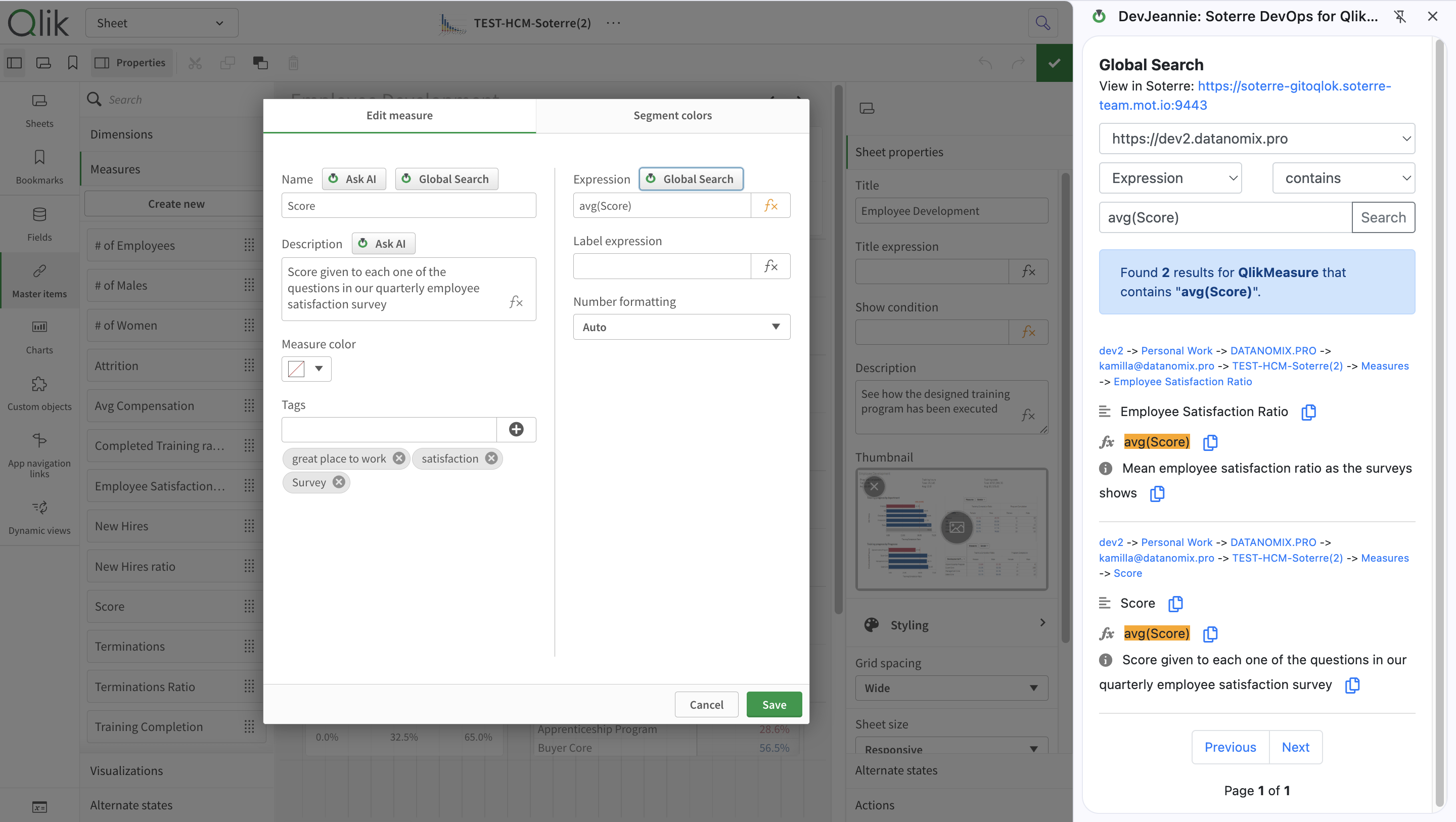
Qlik: Soterre DevOps Analytics Global Search for expressions
Qlik Apps
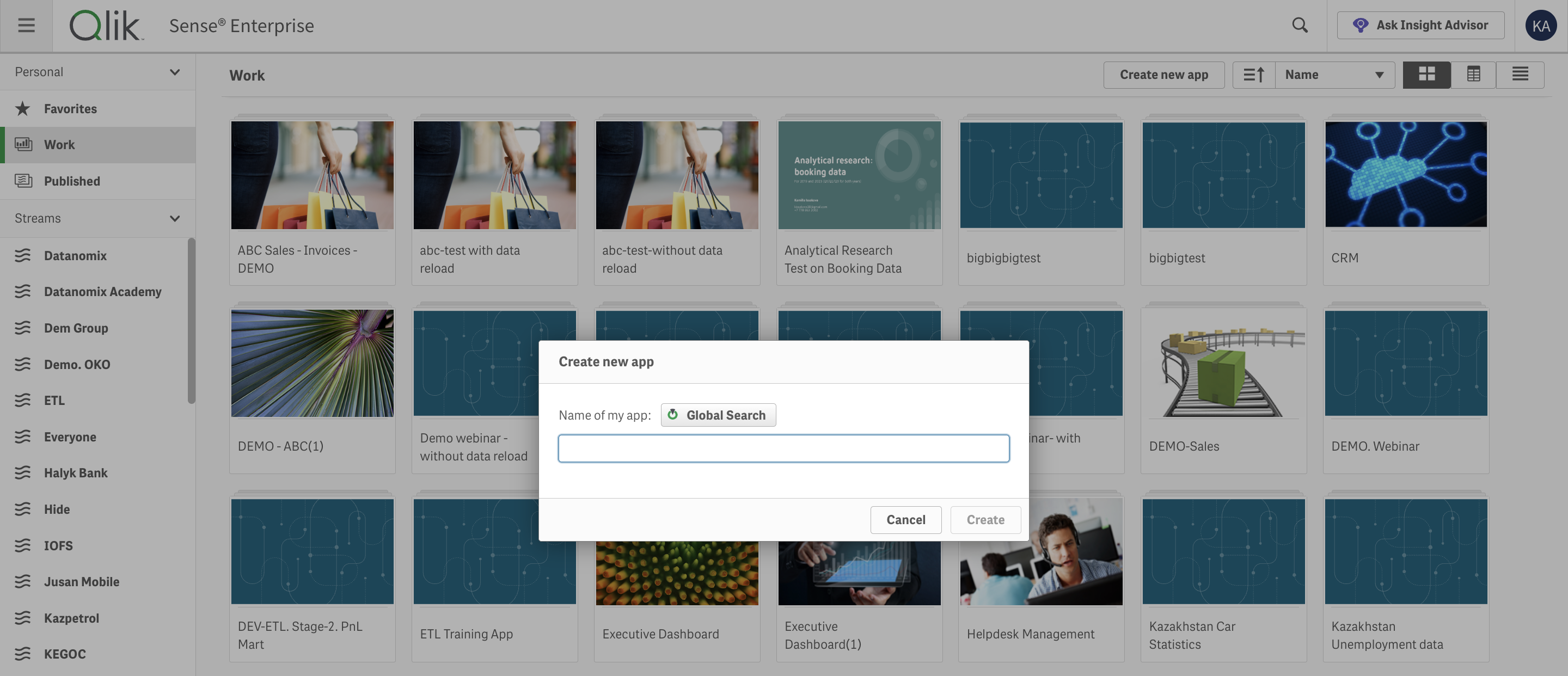
Qlik: Soterre DevOps Analytics Global Search for apps
PowerBI Web Measures
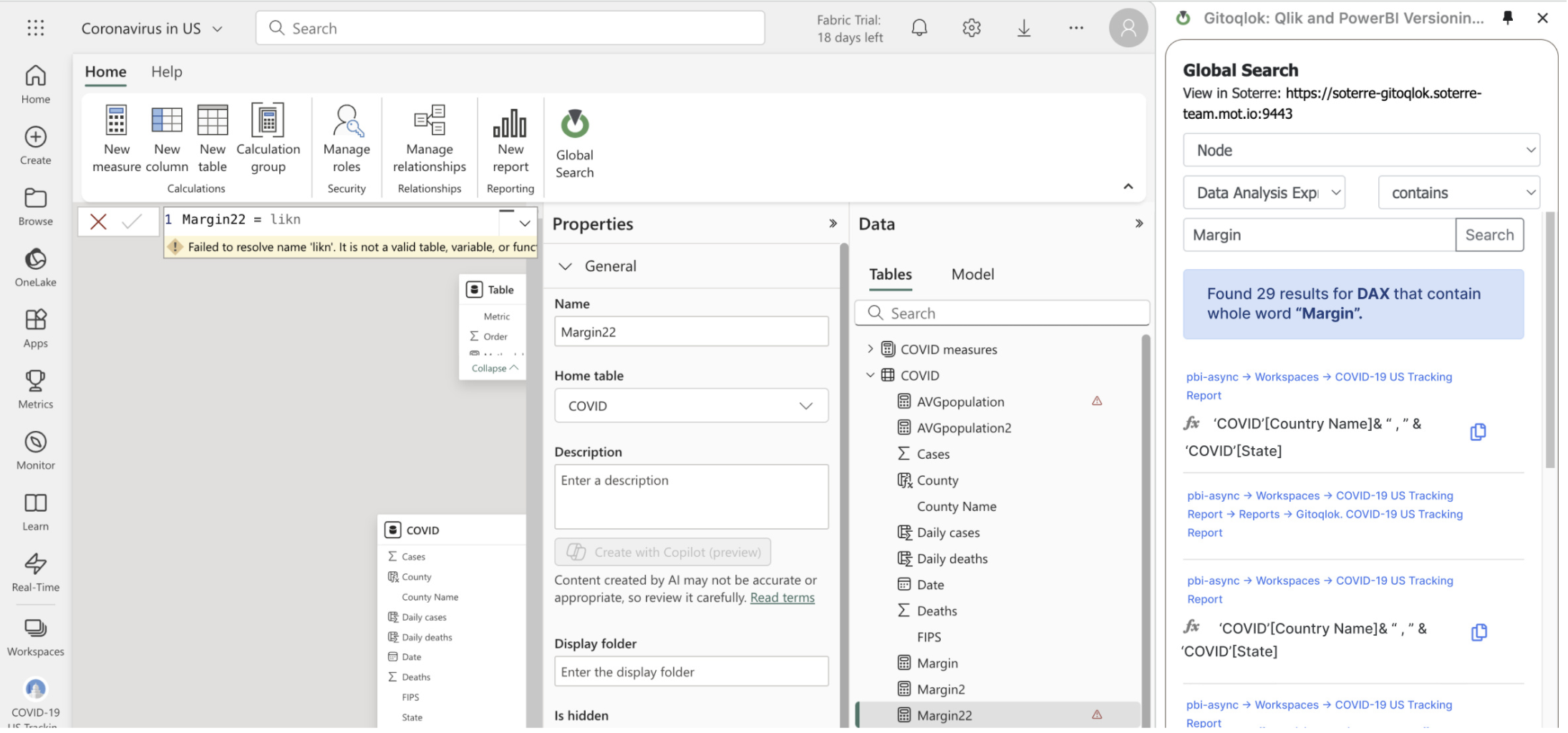
Soterre DevOps Analytics Global Search for PowerBI Measures
Auto-fill current measure fields
Find the copy icon near any Global Search result to auto-fill the current measure name/expression/description.
Finding Existing Measures
The user needs to create a new measure for calculating the average balance. After doing so, they search for "Average Balance" using Global Search and find an existing measure with the same name, but a different expression, not suitable for a current use case.
The user sees that this measure sits in the same app stream. To ensure consistency and reduce clutter, they call the measure "Average Balance - Weighted".
Searching for Measure Expressions
A user wants to search for measure expressions that match the expression that they have input.
The user finds a complex and accurate formula used in another measure. By reusing this expression, they ensure the new measure is both accurate and quickly implemented.
Searching for Qlik Apps
The user has an active Soterre connection and is creating a new Qlik analytics app. After calling it "Report for Stakeholders", they click on the Global Search button to check if a similar app exists.
DevJeannie catches metadata from Soterre Search and outputs the list of apps that match the search criteria for Qlik Apps that contain "Report for Stakeholders". The app name is fetched from the user input Name field in Qlik UI.
After the user discovered an app named "Report for Stakeholders'2023", they decided to call the app "Report for Stakeholders'2024" to differentiate it and avoid duplications.