
Thumbnail Assistance
Thumbnail Assistance is a handy function for you to set sheet covers in a quick and neat manner.
INFO
Available for Qlik Sense/Cloud (sheets).
TIP
Make sure to have Soterre Helper turned on.
Find "Set a Thumbnail"
Navigate to the sheets menu > click on the three dot icon in a sheet display window to see the BI Helper buttons. Select Set a thumbnail:
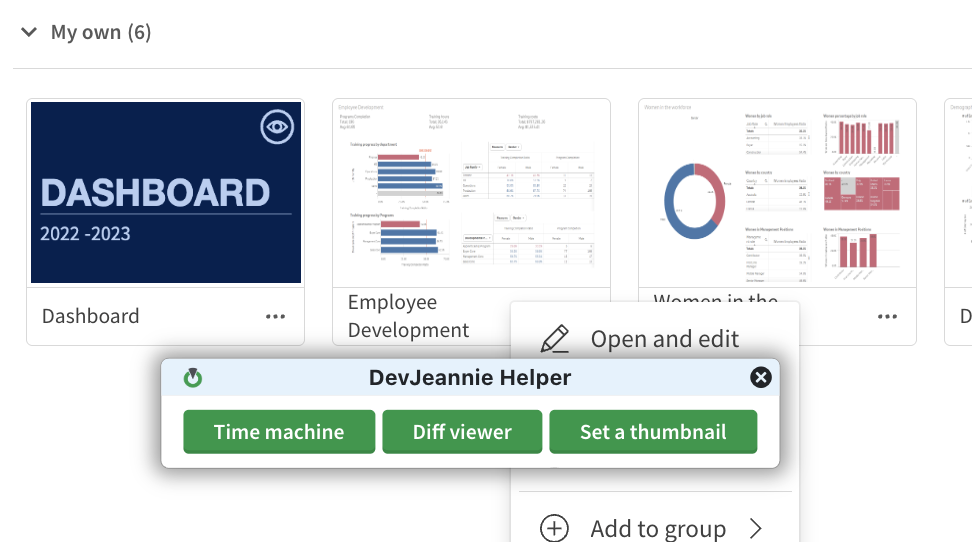
Set a Thumbnail in Soterre Helper
Set a sheet cover
Set a sheet cover using title and description
- Select the color for your thumbnail or add a custom HEX color to the palette;
- Customize the title and description for your thumbnail and format the text;
- Select the icon to be displayed at the top right corner of your thumbnail.
Click on Apply Thumbnail.
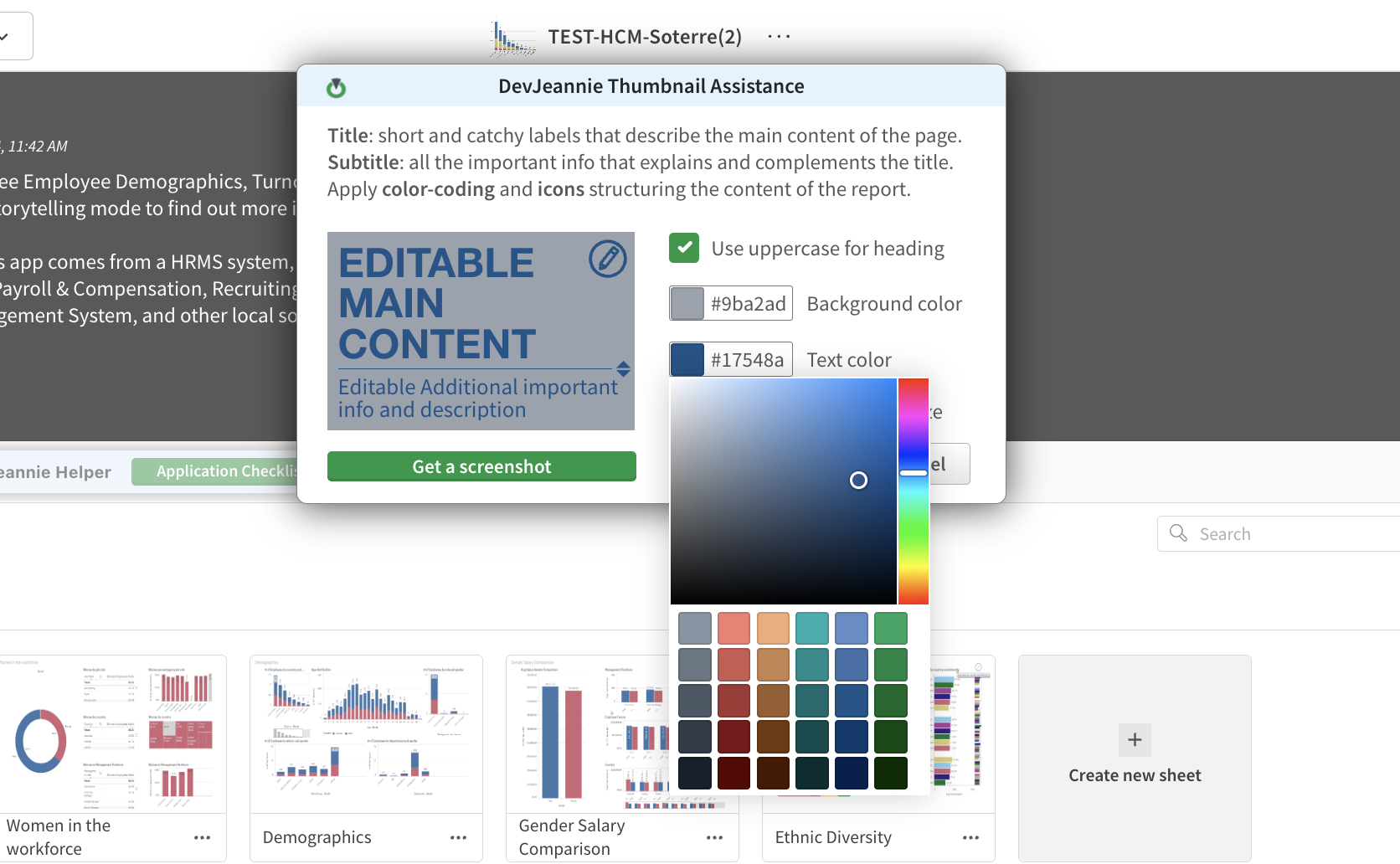
Set a Thumbnail in Soterre Helper
Set a screenshot as a cover
Alternatively, you could take a screenshot of your sheet and set it as a thumbnail. Click on Get a screenshot, crop the screenshot or fit it with a pre-defined aspect ratio of 14:9.
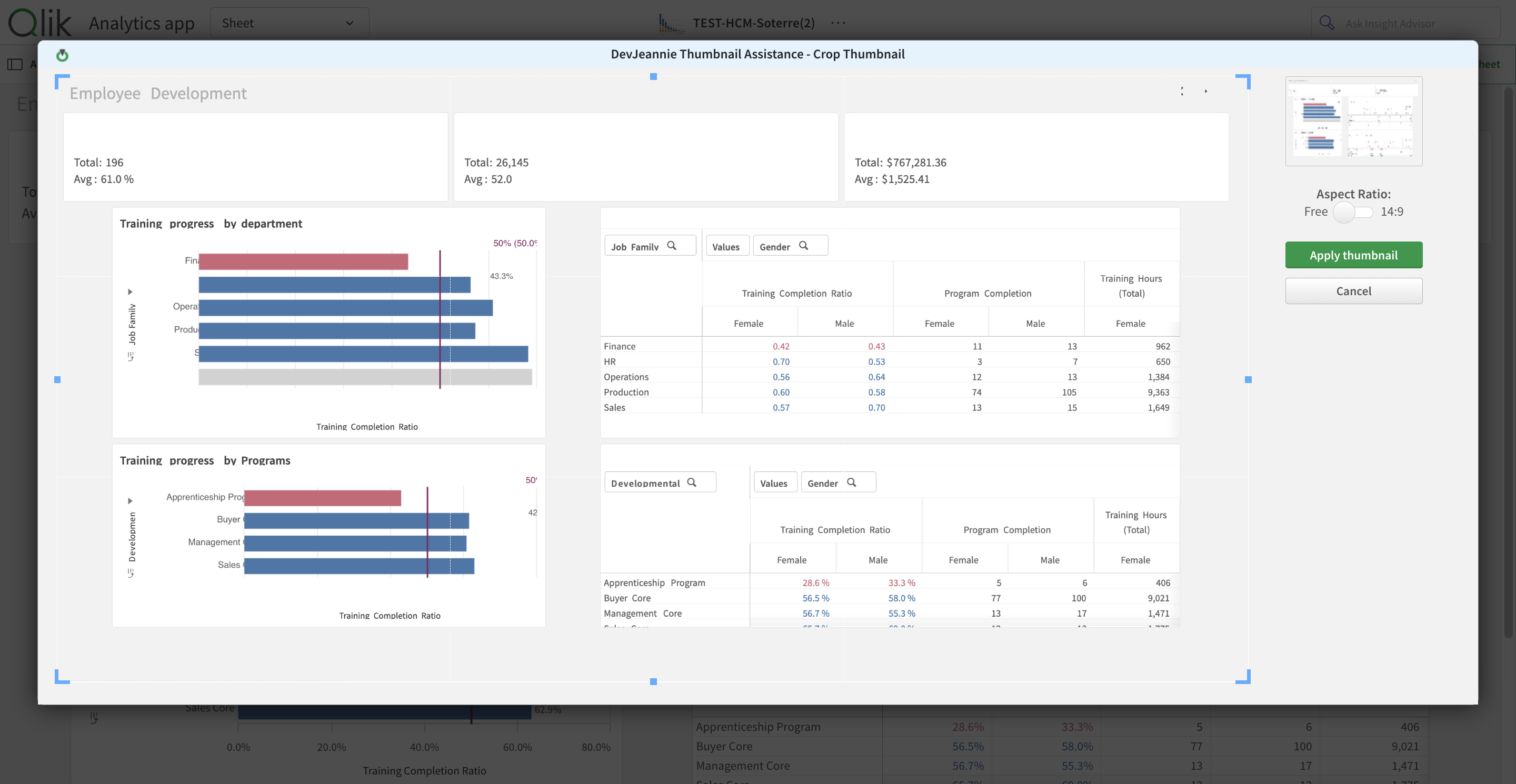
Set a Thumbnail: set a customizable screenshot